
SSD vs HDD: Which Is Faster and Which Should You Buy? (2026 Updated Guide)
Learn the differences between SSD and HDD from a 2026 perspective. Explore NVMe, PCIe 4.0, and PCIe 5.0 options, speed differences, and which choice makes the most sense for your needs in this up-to-date guide.
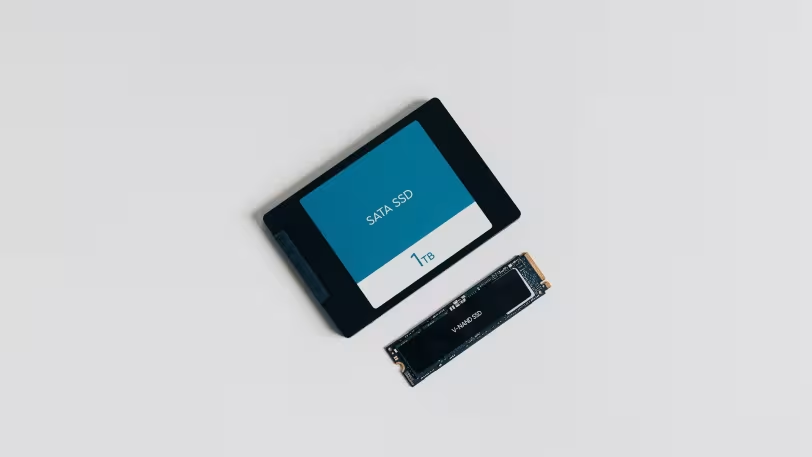
The SSD vs HDD comparison remains one of the most searched topics, whether you’re building a new computer or upgrading your storage. As of 2026, this comparison goes far beyond simply asking “which is faster?”; next-generation technologies like NVMe, SATA, PCIe 4.0, and PCIe 5.0 directly influence buying decisions. For this reason, the right choice depends not only on technical specs but also on your use case, budget, and capacity needs. In this guide, we clearly break down speed differences, real-world performance impact, which option suits which user, and which storage type is truly worth buying in 2026.
What Is the Core Difference Between SSD and HDD?
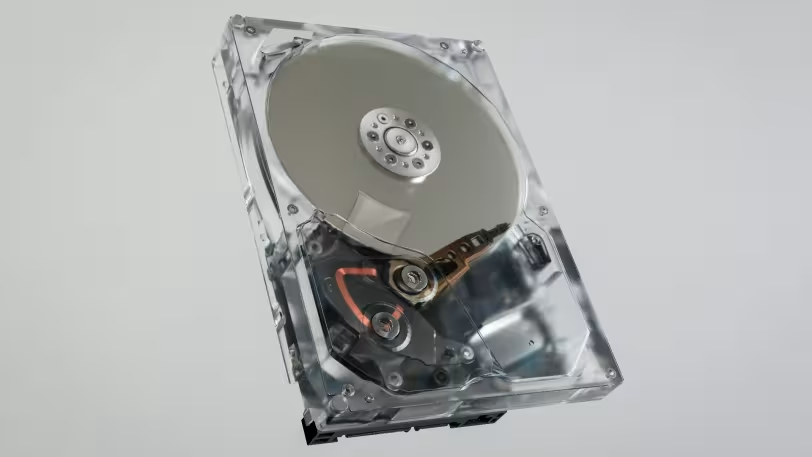
An SSD is a modern storage device that stores data on flash memory without any moving parts. An HDD, on the other hand, uses spinning magnetic platters and a read/write head, making it an older but still widely used technology. This architectural difference affects nearly everything—from speed and noise to durability and power consumption. The NVMe standard allows SSDs to operate over PCIe with lower latency and greater parallel processing capabilities.
In practical terms, this means an SSD loads operating systems, games, and applications much faster, while an HDD offers the same storage at a lower cost with higher capacity. In other words, one prioritizes performance, while the other focuses on cost and storage space. In 2026, the main question is no longer “SSD or HDD?” but rather “Is a single SSD enough, or is an SSD + HDD combination more practical?”
How Are Storage Technologies Classified in 2026?
Today, three main categories stand out: SATA SSD, NVMe PCIe 4.0 SSD, and NVMe PCIe 5.0 SSD. SATA SSDs are still a strong option for compatibility and affordability, though their performance ceiling is limited. NVMe PCIe 4.0 drives currently offer the best balance for gamers and performance-focused users. Meanwhile, PCIe 5.0 SSDs reach extremely high sequential speeds, making a difference in heavy workloads and large data transfers.
On the HDD side, 3.5-inch SATA drives remain relevant for desktop and archival use. While capacity has significantly increased, speed is still limited by mechanical design. As a result, HDDs are now primarily chosen for cost-effective high-capacity storage, especially for media archives, backups, NAS setups, and large file storage.
Which Is Faster: SSD or HDD?
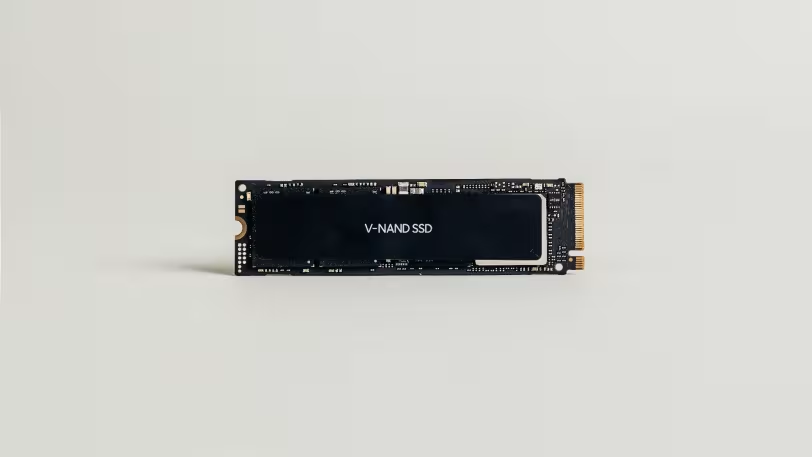
The answer is clear: SSD is significantly faster, and the difference is dramatic for most users. Modern PCIe 4.0 NVMe SSDs reach up to 7,300 MB/s in sequential read speeds, while PCIe 5.0 models can go as high as 14,800 MB/s. In contrast, typical desktop HDDs usually operate between 185 and 220 MB/s.
However, real-world performance is not just about sequential speeds. In everyday tasks like booting the system, launching applications, loading games, and copying files, the low latency and high random access performance of SSDs create a much smoother experience. HDDs may seem acceptable with large single files but fall noticeably behind in small file access and multitasking. The feeling of a “fast computer” largely comes from the instant responsiveness of an SSD.
How Noticeable Is the Speed Difference in Real Use?
In real-world usage, the difference is most evident in system responsiveness. Windows startup, browser tabs, Adobe projects, game launchers, and update processing all benefit greatly from SSD performance. A system using an HDD can feel sluggish, especially when background tasks are running. Switching to an SSD often provides a more noticeable improvement than even upgrading the CPU.
An important detail is this: although PCIe 5.0 SSDs are much faster on paper than PCIe 4.0, not every user will feel that difference equally in daily use. For office work, browsing, studying, streaming, and standard gaming, a good PCIe 4.0 SSD is more than sufficient. PCIe 5.0 truly shines in large media projects, high-bitrate video workflows, heavy content creation, and massive file transfers.
What Do NVMe, PCIe 4.0, and PCIe 5.0 Mean?
NVMe is a modern communication standard that allows SSDs to use the data bus more efficiently, offering significantly lower latency compared to SATA. PCIe 4.0 and PCIe 5.0 refer to the generation of the interface between the SSD and the motherboard. Newer generations provide higher bandwidth, enabling faster data transfer speeds. For example, PCIe 5.0 SSDs can reach up to 14,800 MB/s, while high-end PCIe 4.0 models like WD_BLACK SN850X are around 7,300 MB/s.
However, compatibility is crucial. Buying a PCIe 5.0 SSD alone is not enough—you also need a compatible motherboard, CPU, and sometimes cooling solution. Heat is another key factor in high-speed SSDs, making heatsinks and proper airflow essential. While PCIe 5.0 is becoming more common in 2026, PCIe 4.0 still offers excellent value for money.
When Should You Choose an SSD?
An SSD should be the first choice for almost anyone who wants speed and responsiveness. It is ideal for gaming PCs, laptop upgrades, software development, content creation, and multitasking. In 2026, using an HDD as a primary system drive results in a noticeably weaker experience. At the very least, your operating system and frequently used applications should be on an SSD.
It is suitable for everyday users, students, office workers, gamers, and professional creators. If you want fast boot times, quiet operation, and a modern computing experience, SSD is the right choice. In single-drive systems, it should almost always be the priority.
When Does an HDD Still Make Sense?
An HDD still makes sense in scenarios where storage capacity is more important than speed. It is ideal for large photo and video archives, media collections, backup drives, and users who need a lot of storage at a low cost. In desktop systems, adding an HDD as a secondary drive is an effective way to expand storage without significantly increasing your budget.
It is suitable for archivists, media collectors, NAS users, and anyone seeking maximum capacity at the lowest price. However, using only an HDD as a primary drive is no longer recommended for most users in 2026.
SSD vs HDD Comparison Summary
- Speed: SSD is far superior, especially NVMe models.
- Capacity/Price: HDD offers more storage for the same budget.
- Durability and Noise: SSD is quieter and more durable.
- Long-Term Storage: HDD remains useful as a secondary or backup drive.
- Primary Drive: In 2026, SSD is the clear choice.
2026 Perspective: Which Storage Type Makes More Sense?
From a 2026 perspective, SSD is now the logical starting point for most users. While SATA SSDs still work for entry-level setups, NVMe PCIe 4.0 SSDs offer the best balance for new builds. PCIe 5.0 SSDs make sense for high-end systems and heavy workloads. Overall, the trend clearly favors SSD technology.
HDDs are not obsolete—they have simply shifted roles. Instead of being primary drives, they are now commonly used as storage, archive, or backup drives. For this reason, the most efficient setup today is often a combination of SSD + HDD.
Alternative Recommendation: Single Drive or Dual Drive?
As an alternative setup, the best choice depends on your usage. If you use a laptop or compact system, a single high-quality NVMe SSD is usually the cleanest solution. For desktop systems, combining a 1TB or 2TB NVMe SSD with a high-capacity HDD offers an excellent balance between performance and budget.
For lower budgets, a SATA SSD is still a solid upgrade path. Even switching from an HDD to a SATA SSD can significantly improve system responsiveness. The question “Do I need the fastest option?” is often answered with no—what matters most is matching your storage choice to your actual needs.
Conclusion: Which One Should You Buy?
The conclusion is straightforward. For system drive, gaming, productivity, and overall user experience, you should choose an SSD. For large archives and cost-effective high-capacity storage, an HDD is still useful. If you can only choose one, SSD is the right answer for most users in 2026.
In summary, SSD is clearly the faster option. The best choice depends on your use case, but for primary storage, SSD is strongly recommended. For most users, an NVMe PCIe 4.0 SSD represents the ideal balance, while PCIe 5.0 is becoming a real option for high-end workloads.