
What Is NVMe vs M.2 SSD? The Differences Explained (A Clear Guide That Ends the Confusion)
Learn the differences between NVMe, M.2, and SATA SSDs from a 2026 perspective. Find out which SSD type suits you, speed differences, and motherboard compatibility in this guide.

What is NVMe vs M.2 SSD? This question is one of the most confusing topics for users looking to buy a new SSD. Because the things being compared here are not actually in the same category: one is a connection protocol, the other is a form factor. In this guide, we clearly separate SSD types and explain the differences between SATA, NVMe, and M.2 with real-world usage scenarios. We also make your buying decision easier with recommendations tailored for 2026.
What Is an SSD and Why Is It So Important?
An SSD, or solid-state drive, is a modern storage solution that stores data on semiconductor memory chips instead of mechanical parts. Thanks to this structure, it is significantly faster than traditional hard drives and directly impacts system performance. From operating system boot times to game loading, it provides a noticeable speed improvement in every area. Today, building a new computer without an SSD has become almost unreasonable.
However, the SSD world is divided into different types. This is exactly where the confusion begins.
SSD Types: SATA, NVMe, and M.2 Explained
The easiest way to understand SSDs is to make this distinction: connection type and physical structure are different things. SATA and NVMe are data communication protocols, while M.2 refers only to the physical form factor. Understanding this difference is the foundation of choosing the right SSD.
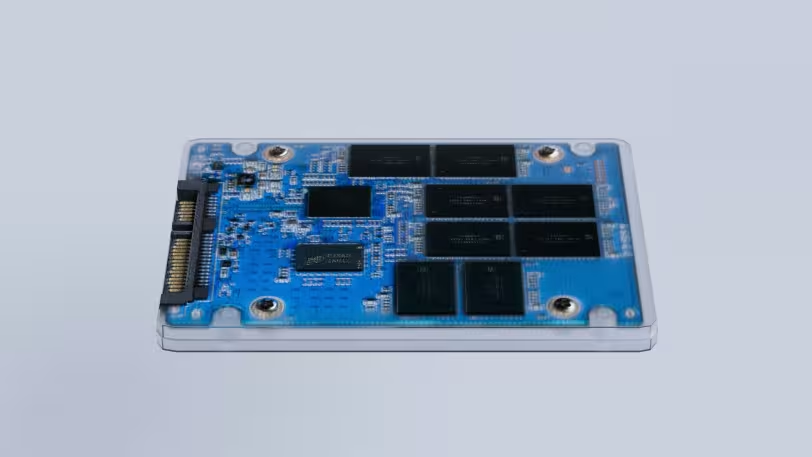
What Is a SATA SSD?
SATA SSDs are drives that operate over the long-used SATA III interface. Their maximum theoretical speed is around 600 MB/s. They still offer sufficient performance for everyday use, office work, and gaming. They are especially preferred in budget-friendly systems.
What Is an NVMe SSD?
NVMe SSD is a modern protocol that transfers data directly over the PCIe bus. This allows it to surpass the speed limitations of SATA and deliver much higher performance. Modern NVMe SSDs can reach speeds of 7000 MB/s and beyond. They are ideal for large file transfers, video editing, and professional workloads.
What Is M.2?
M.2 refers to the slim and compact physical structure of an SSD. This means an M.2 SSD can be either SATA or NVMe. Therefore, the question “M.2 or NVMe?” is technically incorrect. The correct question should be: “M.2 SATA or M.2 NVMe?”
NVMe vs SATA: Real-World Speed Difference
On paper, NVMe SSDs are 5–10 times faster than SATA SSDs. However, this difference is not equally noticeable in every use case. In daily usage, there may not be dramatic differences in boot times or game loading. This is because the CPU and RAM also play important roles in these scenarios.
On the other hand, for users working with large files, the NVMe advantage is very clear. It provides significant time savings in tasks like video editing, 3D modeling, and data transfer.
- SATA SSD: ~500 MB/s
- NVMe SSD (PCIe 3.0): ~3500 MB/s
- NVMe SSD (PCIe 4.0/5.0): 7000–12000 MB/s
Motherboard Compatibility: The Most Critical Point
The most overlooked factor when choosing an SSD is motherboard compatibility. Not every M.2 slot supports NVMe. Some motherboards only support SATA M.2 drives. Therefore, it is essential to check technical specifications before purchasing.
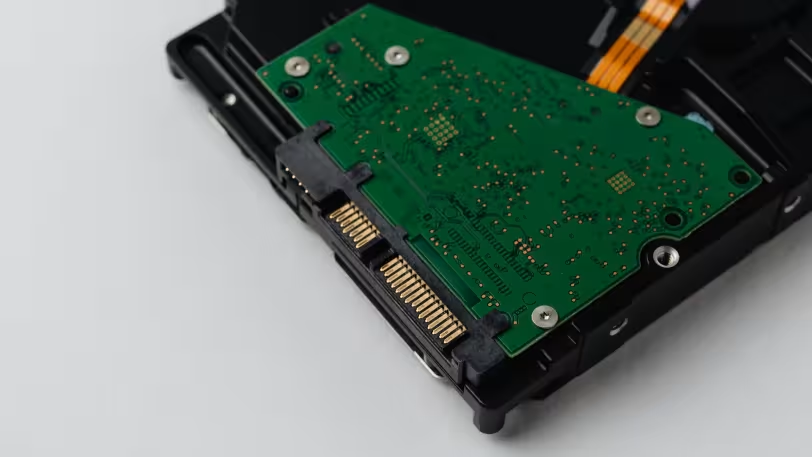
Compatibility Summary
- If there is an M.2 slot → It can be SATA or NVMe
- If PCIe support exists → NVMe will work
- If only SATA support exists → NVMe will not work
Most modern motherboards support NVMe, but this may vary in older systems.
2026 Perspective: Which SSD Should You Choose?
As of 2026, NVMe SSDs have become the standard. Price differences have significantly decreased, and the performance advantage is much more evident. Especially in systems supporting PCIe 4.0 and 5.0, using NVMe has become almost mandatory.
However, SATA SSDs are not obsolete. They are still a logical option for users who want more affordable and high-capacity storage.
Which SSD Is Right for You?
You should choose the right SSD based on your usage scenario. The most expensive option is not always the best for every user.
- Office and daily use → SATA SSD is sufficient
- Gamers → NVMe is recommended (but not required)
- Video/editing/rendering work → NVMe is essential
- Storage-focused use → SATA is more practical
Alternative Suggestions
If your budget is limited, using a small NVMe SSD as a system drive plus a SATA SSD for storage is a well-balanced solution. This setup provides optimal results in terms of both performance and cost.
Conclusion: Let’s Clear the Confusion
M.2 is a form, NVMe is a speed technology. This sentence is the clearest summary of the topic. If you want maximum performance, you should choose NVMe. However, for daily use, SATA SSDs are still strong and sufficient. The key is to analyze your needs correctly and choose accordingly.
The right SSD choice is not just about speed; it is about balancing compatibility, usage scenario, and budget.