
WhatsApp Text Formatting and Hidden Features (Updated 2026 Tactics)
2026 updated guide to WhatsApp text formatting and hidden features. Bold, italic, secret tips, iOS and Android differences, and practical examples.
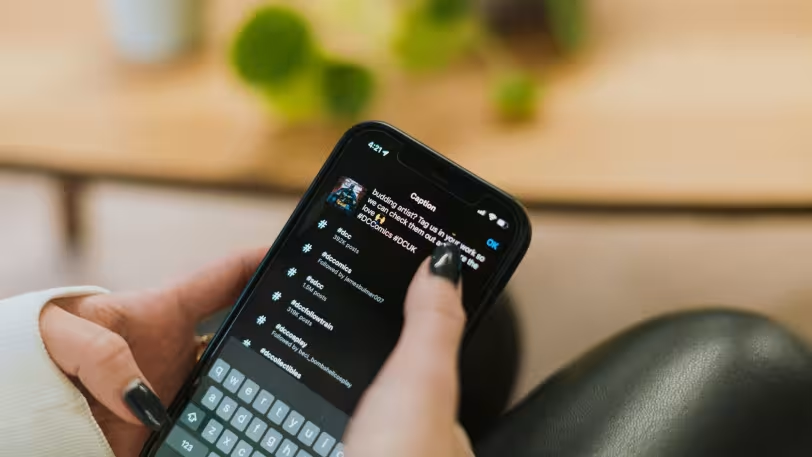
WhatsApp text formatting and hidden features are no longer just about aesthetics—they have become a powerful tool to enhance communication. For users who want to emphasize messages, grab attention, or appear more professional in daily chats, these features offer major advantages. As of 2026, WhatsApp provides smarter and more user-friendly solutions on both iOS and Android. In this guide, you will find both classic formatting techniques and lesser-known hidden features with practical examples.
What Is WhatsApp Text Formatting and Why Is It Important?
WhatsApp text formatting allows you to make your messages more readable and effective. Especially in business communication, important announcements, or social media content, using the right emphasis improves communication quality. As of 2026, users are no longer just sending messages—they are designing them strategically. Therefore, WhatsApp text formatting has become much more than a simple feature.
1. Grab Attention with Bold Text
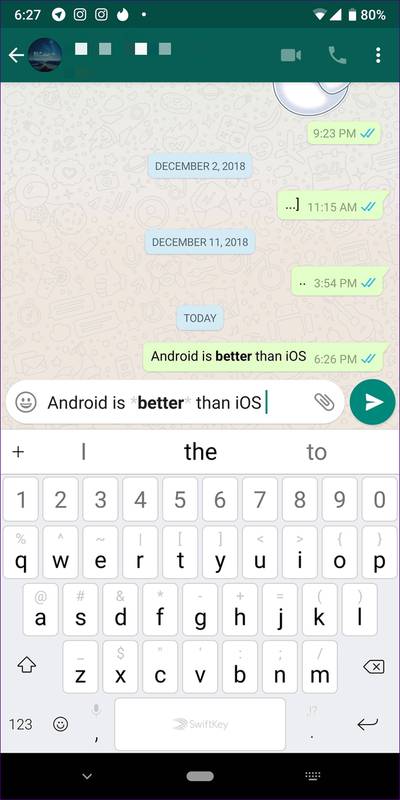
Bold text is one of the most commonly used formatting styles. It is ideal for highlighting important words or the main idea of a message. It is applied by placing an asterisk (*) at the beginning and end of the text. This method works smoothly on both iOS and Android devices.
Example: *The meeting is at 15:00*
2. Emphasize with Italic Text
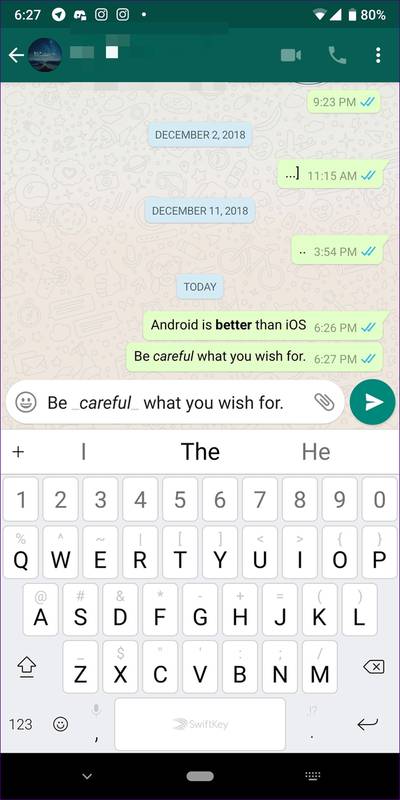
Italic text provides a softer emphasis and is often used in emotional or attention-required expressions. It is applied using an underscore (_). It is especially effective in storytelling or explanatory content.
Example: _Please be careful_
3. Use Strikethrough Text for Corrections
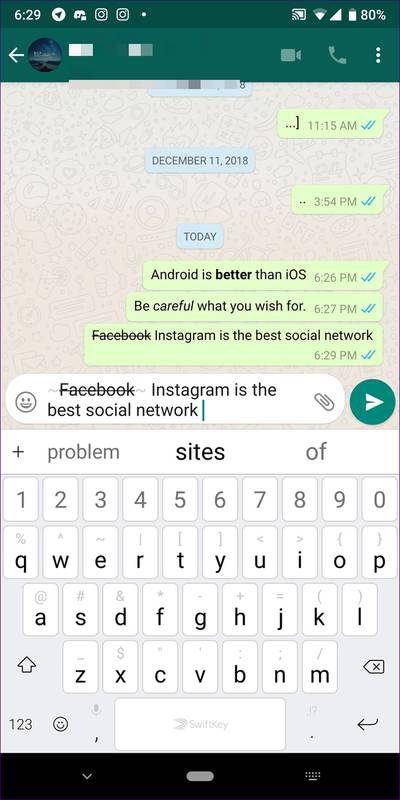
You can use strikethrough text to make humorous corrections or invalidate previous information. This method is very popular in social media language. It is applied using the tilde (~) symbol.
Example: ~Old plan~ New plan ready
4. Use Monospace for a Technical Look
The monospace font is ideal for technical content and code sharing. It is applied using three backticks (`). In 2026, this style has become especially popular among developers and content creators.
Example: “`Code example“`
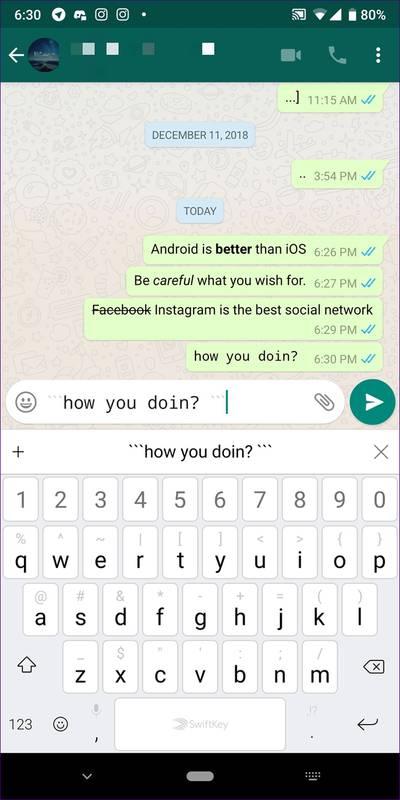
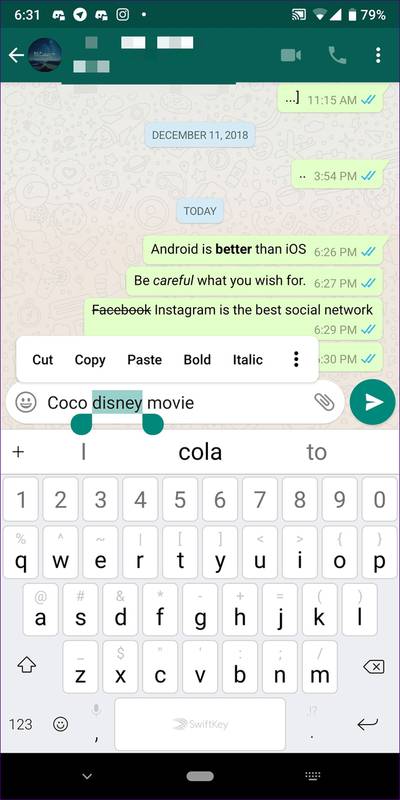
5. Tap to Format (iOS vs Android)
For those who prefer practical methods instead of manual symbols, WhatsApp offers built-in options. Android users can access formatting options by long-pressing the text. iOS users can format text through the “BIU” menu. This feature provides great convenience, especially for new users.
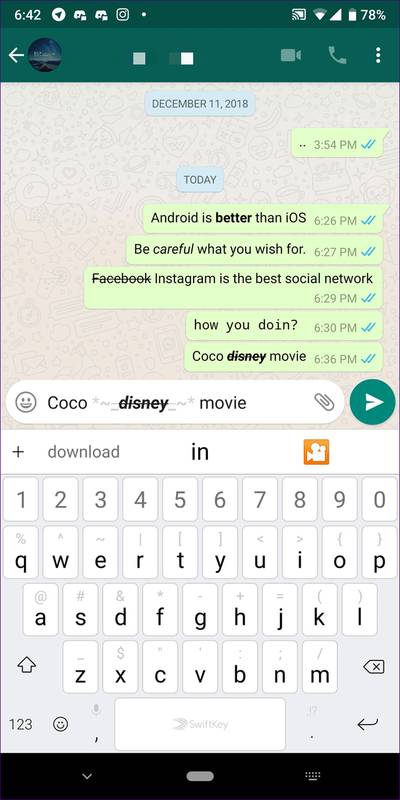
6. Using Multiple Formats Together
As of 2026, users combine multiple formatting styles within a single message to create more dynamic content. You can combine bold, italic, and strikethrough styles to craft powerful messages. The correct order of symbols is critical here.
Example: *~_Important message_~*
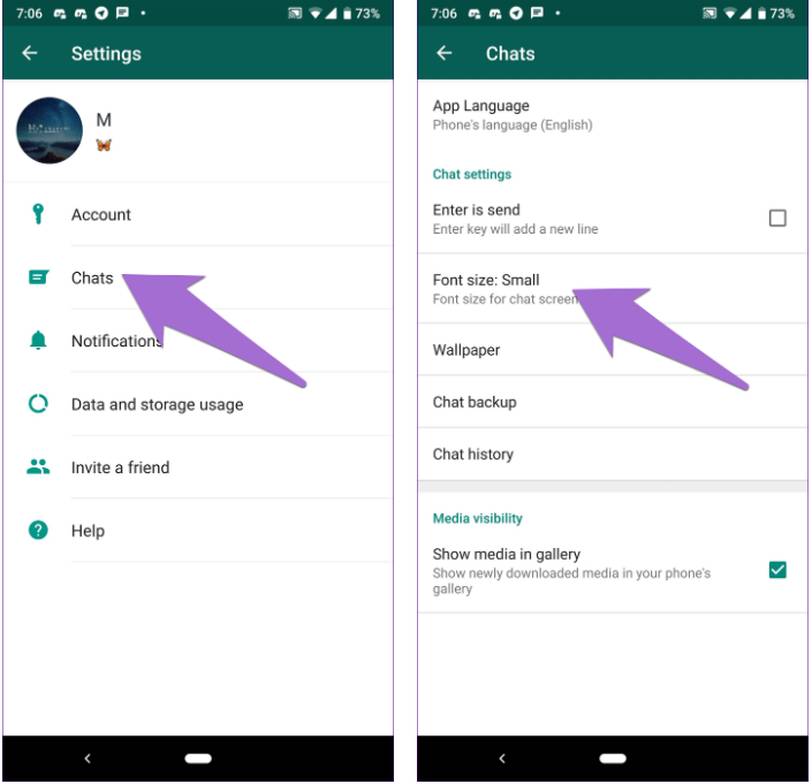
7. Font Size Adjustment (Android Only)
For Android users, the ability to change font size remains a key advantage. With small, medium, and large options, the reading experience can be optimized. On iOS, this setting is controlled through the system-wide settings.
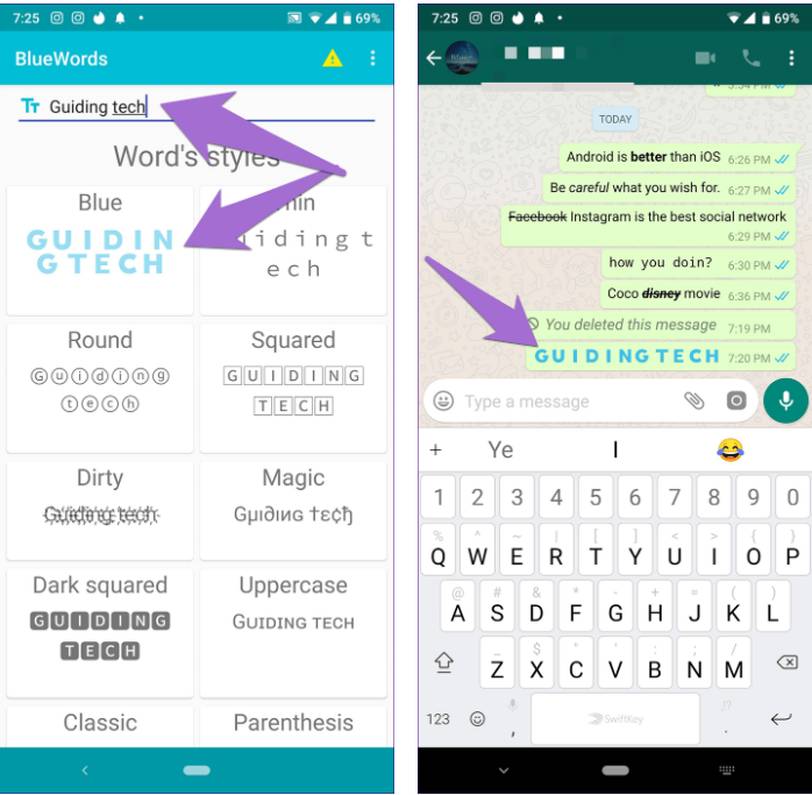
8. Colored Text and Styling Apps (Alternative Method)
Although WhatsApp does not officially support colored text, it can be achieved through third-party apps. However, as of 2026, these apps should be used cautiously due to security and privacy concerns. Alternatively, similar effects can be created using emojis and symbols.
9. Ready-to-Copy Message Templates
Ready-made message templates save significant time, especially for business and social media use. You can directly copy and use the examples below:
- *Announcement:* The meeting will start at 14:00.
- _Reminder:_ Please send the files.
- ~Old information~ Updated information added.
- “`Code sharing“`
10. 2026 Perspective: New Trends on WhatsApp
In 2026, WhatsApp stands out with more personalization and AI-powered message suggestions. Users are no longer just writing—they are designing content. These features have become especially critical for content creators and digital marketers.
Who Is It For?
These features are suitable for social media managers, content creators, students, and anyone who wants to communicate professionally. Even everyday users can make their messages more effective with these techniques.
When Should It Be Used?
It should be used whenever you want to highlight important messages, grab attention, or appear professional. It is especially effective for standing out in group chats.
Alternative Suggestions
Platforms like Telegram and Discord offer more advanced formatting options than WhatsApp. However, WhatsApp’s widespread usage still makes it the most powerful communication tool.
WhatsApp text formatting and hidden features can completely transform communication when used correctly. Creating powerful messages with simple symbols is now possible for everyone. For users who want to stand out in 2026, learning and applying these techniques will make a significant difference. For the best results, it is recommended to combine different formatting styles and create your own unique style.